
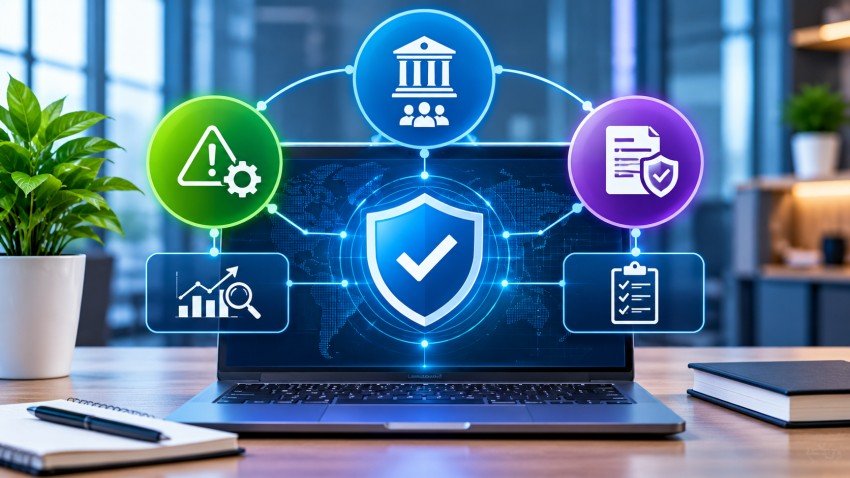

GRC software is a digital platform that helps organizations manage governance, risk, and compliance activities in one place. Instead of relying on separate spreadsheets, emails, and documents, businesses can use it to track risks, manage policies, monitor controls, and prepare for audits. It connects teams and gives decision-makers a clearer view of potential problems. Understanding how GRC software works can help businesses improve oversight, reduce manual work, and make better decisions about security and regulatory requirements.
What Does GRC Stand For?
GRC stands for Governance, Risk, and Compliance. These three areas help organizations operate responsibly while working toward their business goals.
- Governance: Establishes company policies, responsibilities, procedures, and decision-making rules.
- Risk management: Identifies threats that could affect business operations, finances, security, or reputation.
- Compliance: Helps ensure the organization follows applicable laws, regulations, industry standards, and internal policies.
These areas are connected. For example, a company may introduce a data security policy to meet regulatory requirements. Risk management helps identify security weaknesses, while governance assigns responsibility for addressing them.
GRC software brings these activities together through shared information and coordinated workflows.
How Does GRC Software Work?
GRC platforms organize information, automate repeatable tasks, and help teams monitor their responsibilities. Although features differ between vendors, most platforms follow a similar process.
1. Collect Business and Compliance Information
The software provides a central place to record policies, regulations, business risks, internal controls, and supporting documents.
Teams can organize information by department, business process, system, or regulatory requirement. Some platforms also connect with existing business and security tools to collect relevant data.
2. Identify and Assess Risks
Organizations use the platform to record potential risks and evaluate their likelihood and possible impact.
For example, a healthcare company might identify unauthorized access to patient records as a major risk. The team can document the threat, estimate its impact, assign an owner, and decide how to reduce it.
Risk assessments help businesses prioritize issues instead of treating every problem as equally urgent.
3. Map Requirements to Controls
Controls are safeguards or procedures designed to reduce risks or meet specific requirements.
A GRC platform can connect regulations and internal policies with the controls used to address them. It can also record who owns each control and what evidence demonstrates that it works.
This connection helps organizations identify missing controls and avoid managing the same requirement separately across multiple compliance programs.
4. Automate Tasks and Collect Evidence
Many platforms automate routine activities, including:
- Sending assessment questionnaires
- Assigning tasks to responsible employees
- Requesting supporting documents
- Tracking policy reviews and approvals
- Recording audit findings
- Sending reminders about overdue actions
For example, an auditor may request evidence that employees complete security training. The platform can track the request, assign responsibility, and store the submitted records.
5. Monitor Results and Generate Reports
GRC software can provide dashboards and reports showing open risks, control status, compliance gaps, and unresolved audit findings.
Some platforms also support ongoing monitoring. This helps teams detect changes and respond before a small issue becomes a larger problem.
The National Institute of Standards and Technology (NIST) emphasizes ongoing control assessment and monitoring in its Risk Management Framework. GRC software can support these activities, although the software does not replace the organization’s responsibility for managing risk.
Key Features of GRC Software
The available features depend on the platform and its intended users. Common capabilities include:
| Feature | What It Does |
|---|---|
| Risk management | Records, assesses, and tracks business risks |
| Policy management | Stores policies and manages reviews and approvals |
| Compliance tracking | Maps requirements to controls and supporting evidence |
| Audit management | Organizes audit plans, findings, and corrective actions |
| Issue management | Tracks problems and their resolution |
| Third-party risk management | Evaluates risks associated with vendors and partners |
| Reporting and dashboards | Shows risk trends, control status, and compliance progress |
Some advanced platforms also include workflow automation, integrations, and AI-assisted analysis. Buyers should confirm which features are included in a specific product or subscription.
Benefits of Using GRC Software
A well-implemented platform can improve how an organization handles risk and compliance.
Better Visibility
Centralized information helps managers understand where risks exist and which issues need attention. Teams can work from shared records rather than maintaining separate reports.
Less Manual Work
Automated reminders, assessments, approvals, and evidence requests can reduce repetitive administrative tasks. Employees can spend more time reviewing issues and improving controls.
More Organized Audits
A central evidence repository makes it easier to locate documents, review control ownership, and track audit findings. This can make audit preparation more manageable.
Stronger Risk Management
Risk assessments and monitoring tools help organizations prioritize threats based on their potential business impact. Teams can also track corrective actions and review whether responses are effective.
Improved Accountability
Assigning owners and deadlines makes responsibilities clearer. Managers can see which tasks remain open and follow up when actions are overdue.
Who Needs GRC Software?
GRC software can benefit organizations that manage complex risks, multiple compliance requirements, or frequent audits.
Common users include:
- Financial institutions: Manage operational, financial, and regulatory risks.
- Healthcare organizations: Support privacy, security, and compliance activities.
- Technology companies: Track cybersecurity risks, vendor relationships, and data protection controls.
- Manufacturers: Manage operational risks, safety requirements, and supplier compliance.
- Growing businesses: Organize policies and risk processes as operations become more complex.
Smaller organizations may not need a large enterprise platform. A focused tool or well-managed process may be enough, depending on their risks and requirements.
How to Choose the Right GRC Platform
Before purchasing GRC software, evaluate your organization’s actual needs.
- Define your priorities: Identify whether risk management, compliance tracking, audit preparation, or vendor oversight matters most.
- Check required frameworks: Confirm that the platform supports the regulations and standards relevant to your business.
- Review automation features: Look for workflows that reduce real administrative work.
- Evaluate integrations: Check whether the software connects with your existing systems.
- Assess reporting: Make sure dashboards provide useful information for employees, managers, and executives.
- Review security and access controls: Examine permissions, data protection, and audit logs.
- Understand total costs: Consider licensing, implementation, training, integrations, and ongoing maintenance.
Ask vendors to demonstrate realistic workflows using examples from your business. A long feature list does not guarantee that a platform will fit your processes.
Conclusion
GRC software helps organizations connect governance, risk management, and compliance through shared data and coordinated workflows. It can improve visibility, reduce repetitive tasks, support audits, and clarify responsibilities. However, successful implementation requires clear ownership, suitable controls, and regular reviews. Before selecting a platform, identify your organization’s main challenges and compare solutions based on practical needs rather than feature counts alone.
Frequently Asked Questions
1. What is GRC software used for?
GRC software helps businesses manage risks, policies, compliance requirements, internal controls, and audits. It centralizes information and supports workflows that help teams monitor responsibilities and address issues.
2. Is GRC software the same as risk management software?
No. Risk management software focuses mainly on identifying and managing risks. GRC software covers risk management alongside governance and compliance activities, often connecting all three within one platform.
3. Can small businesses use GRC software?
Yes. Small businesses can use GRC tools to organize policies, track risks, and manage compliance tasks. The right solution depends on business size, regulatory requirements, available resources, and operational complexity.
4. Does GRC software guarantee regulatory compliance?
No. Software can organize requirements, track controls, and support evidence collection, but it cannot guarantee compliance. Organizations remain responsible for interpreting applicable rules, implementing effective controls, and reviewing their processes.
5. What is the difference between GRC and ERP software?
Enterprise resource planning (ERP) software manages business processes such as finance, inventory, and operations. GRC software focuses on governance, risk, and compliance. Some organizations integrate the two to connect business data with risk oversight.