
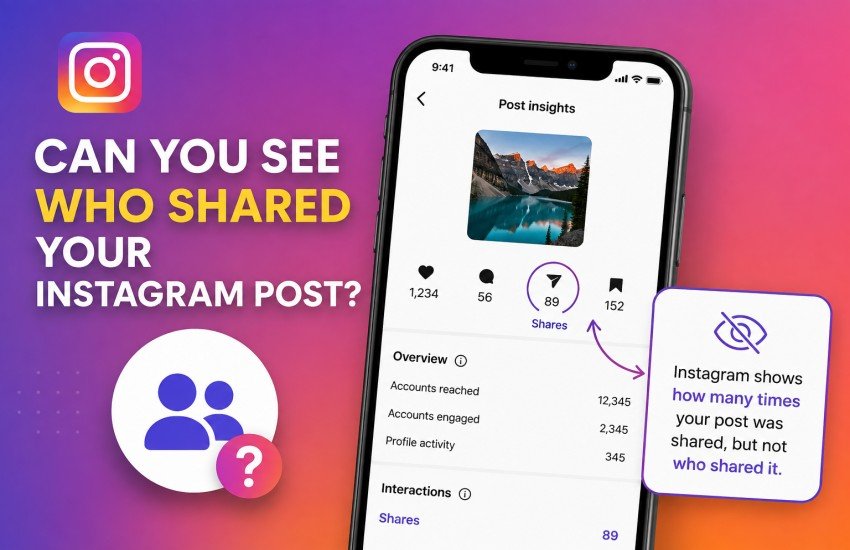

Instagram makes it easy to share photos, videos, and Reels with friends and followers. But there is one question many users still ask: Can you see who shared your Instagram post? The short answer is usually no. Instagram provides information about the number of shares for professional accounts, but it does not normally provide a list of the individual accounts that shared a regular post.
This can be confusing because Instagram shows detailed information about likes, comments, views, saves, and other interactions. However, sharing works differently. Instagram’s official Insights documentation confirms that shares are included as an engagement metric, while the platform does not offer a standard feature that reveals the usernames behind those shares.
In this guide, we will explain what you can see, how to check your share count, what happens when someone shares your content to a Story, and which Instagram features can help you understand how your content is spreading.
What Does “Share” Mean on Instagram?
An Instagram share happens when someone sends or reposts your content through one of Instagram’s available sharing options.
For example, someone might:
- Send your post to another person through Instagram Direct Messages.
- Share your post to their Instagram Story, when the sharing option is available.
- Share a Reel with another Instagram user.
- Use Instagram’s available sharing or reposting features.
These actions can help your content reach people beyond your original audience.
For professional accounts, Instagram groups shares with other interactions in Insights. Instagram defines interactions as actions such as likes, comments, saves, and shares.
Can You See Who Shared Your Instagram Post?
No, Instagram generally does not show you a complete list of usernames that shared your regular post.
If someone sends your post privately to another person through Direct Messages, you cannot normally see who sent it or who received it. This protects the privacy of private conversations.
You may, however, be able to notice a share when someone publicly shares your content in a way that is visible to you.
For example, if a person shares your post to their Story and mentions or tags your account, you may receive a notification or be able to see the Story depending on the circumstances.
So there is an important difference between seeing that your content was shared and seeing exactly who shared it.
Can You See How Many Times Your Post Was Shared?
Yes, if you have access to Instagram Insights.
Instagram says Insights are available for business and creator accounts. You can view performance information for individual posts and Reels, including engagement metrics.
The share count can tell you how often people used Instagram’s sharing functionality with your content. However, the number does not automatically reveal the identities of those people.
For example:
| Instagram information | Can you see it? |
|---|---|
| Total shares | Yes, with eligible Insights |
| Number of likes | Yes |
| People who liked your post | Yes |
| Comments | Yes |
| People who commented | Yes |
| Saves | Available in Insights |
| Names of people who privately shared your post | No |
| People who sent your post through DM | No |
| Public Story share with a mention | May be visible/notify you |
The exact options available can vary depending on your account type, content format, privacy settings, and Instagram’s current features.
How to Check Your Instagram Post’s Share Count
If you have a professional Instagram account, you can use Insights to check how your content is performing.
Step 1: Open Your Instagram Profile
Open Instagram and go to your profile.
Step 2: Select the Post
Find the photo or video you want to analyze.
Step 3: Open Insights
Look for View Insights on the post. Instagram provides post-level performance information for professional accounts.
Step 4: Check Interactions
Look through the available engagement information. Shares are included among Instagram’s interaction metrics.
Remember that the share number tells you how many sharing actions were recorded, not necessarily the names of the accounts responsible for them.
What If Someone Shares Your Post to Their Instagram Story?
This is where things can become slightly different.
If another Instagram user shares your content to their Story and mentions your account, you may receive a notification or otherwise be able to see the mention.
For example, imagine you post a picture of a new product. A follower adds that post to their Story and tags your account. You may see the Story mention and know that particular person shared your content.
However, this does not mean Instagram gives you a complete list of everyone who shared the post privately.
A person could also send your post to another user through Direct Messages. That private activity generally remains private.
Why Doesn’t Instagram Show Everyone Who Shared Your Post?
The main reason is privacy.
Instagram is designed to allow users to communicate privately. Direct Messages are not public activity, so automatically showing the sender and recipient of every shared post would expose private interactions.
This is similar to how Instagram does not give the owner of a post a complete list of everyone who saved it.
You can learn from aggregate engagement data without necessarily seeing the identity behind every action.
Instagram’s official Insights system therefore focuses on performance metrics such as views, accounts reached, interactions, and shares rather than providing a public list of private sharers.
What About Instagram Reels?
Reels provide similar performance information.
Instagram’s Help Center says professional accounts can view Reel Insights and see metrics including follows, likes, comments, saves, and shares.
This is useful if you are trying to understand which videos are performing well.
For example, suppose you publish three Reels:
- Reel A gets 2 shares.
- Reel B gets 75 shares.
- Reel C gets 300 shares.
You can reasonably conclude that Reel C generated much stronger sharing activity. However, the share count does not give you a list of the 300 individual people who shared it.
This makes shares particularly useful as a content-performance signal rather than a way to identify individual users.
Can Third-Party Apps Show Who Shared Your Post?
Be careful with websites and apps that claim they can reveal exactly who shared your Instagram post.
If an application asks you to enter your Instagram password or provides a feature that Instagram itself does not offer, think carefully before using it.
Instagram’s official tools provide professional accounts with performance and engagement metrics, including shares.
A third-party service cannot magically access private Instagram messages simply because it has your username.
Avoid Apps That Promise Secret Instagram Data
Be especially cautious if an app claims it can show:
- Everyone who privately shared your post.
- Everyone who saved your post.
- Private Instagram activity.
- Hidden profile visitors.
- Private messages from other users.
These claims can be misleading and may put your account security at risk.
Never give your Instagram password to an unfamiliar service simply because it promises information that Instagram does not normally provide.
Can You Tell If Someone Shared Your Post on Facebook?
Instagram also allows users to share Instagram posts to Facebook when the relevant accounts and sharing settings are connected.
Meta explains that Instagram posts can be shared to Facebook through Accounts Center and that the Facebook audience can depend on the selected settings.
However, cross-platform sharing does not mean Instagram will provide you with a complete list of every person who viewed or shared the content on Facebook.
If you are managing content across both platforms, it is better to treat Instagram and Facebook analytics as separate sources of performance information.
How to Get More Information About Your Content
Although Instagram does not normally tell you exactly who privately shared your post, you can still learn a lot from your analytics.
Look at Shares Alongside Reach
A post with a high share count compared with its reach may indicate that people found the content useful or entertaining enough to pass along.
Watch Saves and Comments
Shares are only one part of engagement. Saves can indicate that people want to return to your content, while comments can show that your post encouraged conversation.
Compare Different Posts
Instead of focusing on one post, compare several pieces of content.
For example, if educational posts consistently receive more shares than promotional posts, that could be a useful signal about what your audience wants.
Study Your Best-Performing Reels
Instagram provides Reel Insights for professional accounts, including shares and other engagement information.
Use this information to identify topics, formats, hooks, or video styles that your audience responds to most strongly.
A Simple Example
Imagine Sarah runs a small clothing business on Instagram.
She uploads a post showing five new summer outfits. After several days, the post receives:
- 850 likes
- 40 comments
- 120 saves
- 95 shares
Sarah can see that the post generated 95 shares through her available Insights. However, she cannot normally open a list containing the names of all 95 people who shared it privately.
Later, one customer shares the post to their Story and tags Sarah’s account. Sarah can see that particular public interaction.
This example shows the difference between share analytics and individual share visibility.
Does Instagram Notify You When Someone Shares Your Post?
Not necessarily.
Instagram does not generally send you a notification every time someone privately sends your post to another person.
However, you may receive a notification when someone publicly interacts with your content in a way that involves your account, such as mentioning you in a Story.
Therefore, you should not assume that the absence of a notification means nobody shared your content.
Can You See Who Shared Your Instagram Post in 2026?
As of 2026, the practical answer remains no for private shares. Instagram provides professional accounts with share-related analytics, but those analytics are designed to measure content performance rather than reveal the identities of every person who shared a post.
Instagram’s official documentation confirms that Insights include interaction data such as shares and are available to business and creator accounts.
If someone shares your content publicly and mentions your account, you may be able to see that specific interaction. Private sharing through Direct Messages, however, is not presented to the post owner as a list of individual sharers.
FAQs
1. Can I see who shared my Instagram post through DM?
No. Instagram does not normally show the usernames of people who privately send your post to other users through Direct Messages.
2. Can I see the number of people who shared my post?
Yes. If you have an eligible professional account, Instagram Insights can show sharing activity as part of your content interactions.
3. Can I see who shared my post to their Story?
If someone shares your content publicly and mentions or tags your account, you may be able to see that interaction or receive a notification. Not every Story share will give you a visible identity.
4. Do third-party apps show who shared an Instagram post?
You should be skeptical of apps claiming they can reveal private Instagram sharing activity. If Instagram does not provide that information through its normal features, an unfamiliar third-party app should not be trusted with your login credentials.
5. Do Instagram business accounts show who shared posts?
Business and creator accounts can access Insights that include engagement information such as shares. However, Insights do not normally provide a complete list of usernames for private shares.
6. Can I see who saved my Instagram post?
Instagram can provide save-related engagement data through Insights for eligible professional accounts, but it does not normally give you a list of the individual users who saved your post.
7. Why are shares important on Instagram?
Shares can be a strong sign that people find your content useful, entertaining, interesting, or worth sending to someone else. Tracking shares alongside reach, comments, likes, and saves can help you understand which content performs best.
Final Thoughts
So, can you see who shared your Instagram post in 2026? In most cases, you can see the number of shares through Instagram Insights, but you cannot see a complete list of people who privately shared it.
If someone publicly shares your content and mentions you, that interaction may be visible. Otherwise, private sharing remains private.
For creators and businesses, the best approach is to focus on the information Instagram actually provides: shares, reach, views, comments, saves, and other engagement metrics. These numbers can help you understand what your audience enjoys and create better content without needing access to everyone’s private activity.