
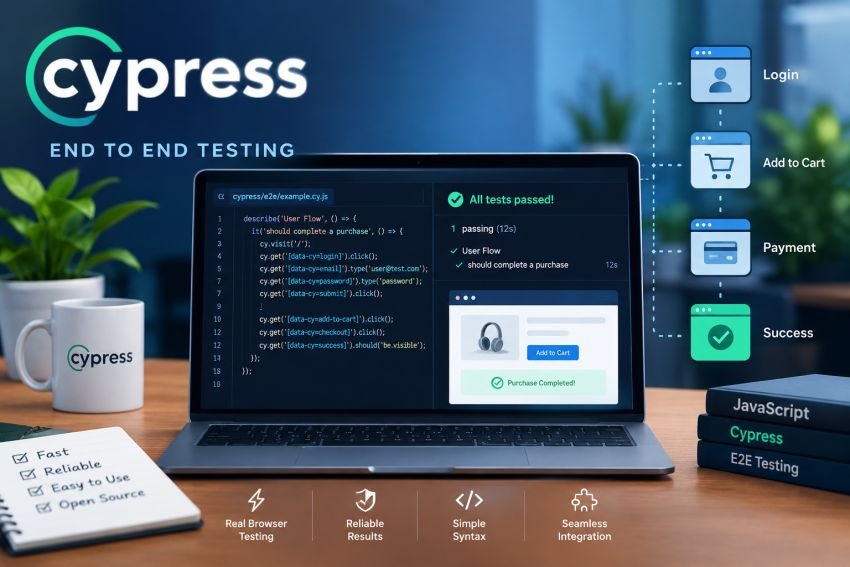

Modern web applications are no longer simple pages with a few buttons and forms. A typical application may connect a frontend to APIs, databases, authentication services, payment systems, analytics tools, and third-party platforms. A problem in any part of that flow can affect the user’s experience.
That is why end-to-end (E2E) testing has become an important part of modern software quality assurance. Instead of checking one function or component at a time, E2E tests verify complete user journeys, such as signing in, searching for a product, adding an item to a cart, completing checkout, or submitting a form.
Cypress is one of the widely used tools for automating these browser-based scenarios. The Cypress npm package currently has more than 4.9 million weekly downloads, showing that it remains widely used in the JavaScript ecosystem.
The platform has also continued to evolve in 2026. Cypress 16.0.0 was released on September 1, 2026, with HTTP/2 support and other improvements. Earlier 2026 releases introduced features such as Bun support, TypeScript updates, improved cross-origin reliability, and AI-assisted testing capabilities.
This guide explains how Cypress works, how to set it up, how to write practical E2E tests, and which practices can help U.S. development and QA teams build more reliable automated test suites.
What Is Cypress End to End Testing?
Cypress is a JavaScript-based testing framework designed for applications that run in a browser. Its E2E capability allows teams to test an application through realistic browser interactions, from the initial page load to the final expected result.
For example, consider an online shopping application. A complete test might:
- Open the website.
- Sign in with a test account.
- Search for a product.
- Open the product page.
- Add the product to the cart.
- Proceed to checkout.
- Enter shipping information.
- Submit the order.
- Confirm the order-success message.
This type of test checks much more than whether an individual button works. It verifies that the frontend, backend, authentication, APIs, database interactions, and other connected pieces work together as expected.
Cypress describes E2E testing as testing the application from the browser through the backend and integrations with third-party services. It also notes that these tests are useful for critical workflows such as authentication, purchasing, data persistence, smoke testing, and system checks before deployment.
Why E2E Testing Matters
Unit and component tests are valuable because they can detect problems early and usually run quickly. However, they do not always reveal problems that occur when multiple parts of an application communicate.
Imagine that a login component passes its unit tests and the authentication API also passes its integration tests. The complete login journey could still fail because of an incorrect redirect, cookie problem, environment variable, frontend API configuration, or session-handling issue.
E2E testing provides another layer of confidence by testing the application as a complete system.
For U.S. businesses operating customer-facing websites, this can be especially useful for workflows such as:
- Customer registration
- Login and password recovery
- Online shopping
- Subscription management
- Appointment booking
- Financial transactions
- SaaS dashboards
- Search and filtering
- Contact forms
- File uploads
- Account settings
- Multi-step workflows
The goal is not to automate every possible user action. Instead, teams should identify the workflows where failure would have the greatest business impact.
Cypress vs. Unit, Integration, and Component Testing
E2E testing is only one part of a broader testing strategy.
| Testing Type | Main Purpose | Typical Speed | Example |
|---|---|---|---|
| Unit testing | Verify individual functions or modules | Fast | Test a price calculation |
| Component testing | Verify an individual UI component | Fast | Test a login form |
| API testing | Verify backend endpoints | Fast to moderate | Check a login API response |
| E2E testing | Verify complete user journeys | Slower | Complete a checkout |
| Accessibility testing | Identify accessibility problems | Varies | Check keyboard navigation |
A healthy test strategy normally uses several layers rather than relying entirely on E2E tests.
Cypress itself supports E2E, component, API, and accessibility testing, so teams can use the same general ecosystem for multiple testing needs.
What’s New in Cypress in 2026?
Cypress has continued receiving significant updates during 2026.
The current Cypress release line reached version 16.0.0 on September 1, 2026. Cypress lists HTTP/2 support and faster, more realistic tests among the headline changes.
Several earlier releases also added capabilities that matter to modern QA teams:
- Bun became a recognized package manager.
- TypeScript 7 support was introduced.
- Cypress improved reliability for Firefox and multi-origin testing.
cy.env()was introduced for securely accessing environment variables.- Cypress added AI-assisted features such as
cy.prompt. - Cypress Studio AI began recommending assertions.
- Cypress Tap was introduced to allow AI agents to interact with an open Cypress session.
- Additional CI and debugging improvements were released throughout the year.
These updates show that Cypress is moving beyond traditional browser automation toward a broader development and testing workflow.
How to Install Cypress
Before installing Cypress, make sure your development environment meets its current system requirements. The official documentation currently lists support for Windows 10 and 11, supported Linux distributions, and macOS versions, along with current Node.js versions.
If you already have a JavaScript or TypeScript project, open the terminal in the project’s root directory.
Install Cypress as a development dependency with npm:
npm install cypress --save-dev
You can also use Yarn, pnpm, or Bun:
yarn add cypress --dev
pnpm add --save-dev cypress
bun add --dev cypress
The official Cypress installation guide supports all four package managers.
After installation, launch Cypress:
npx cypress open
The Cypress Launchpad will open and allow you to choose between E2E and component testing. When you select E2E testing, Cypress creates the basic configuration and project structure for you.
Understanding the Cypress Project Structure
A new Cypress project generally includes folders and files that separate tests, support code, fixtures, and configuration.
A simplified structure may look like this:
project/
├── cypress/
│   ├── e2e/
│   │   ├── login.cy.js
│   │   └── checkout.cy.js
│   ├── fixtures/
│   │   └── users.json
│   └── support/
│       ├── commands.js
│       └── e2e.js
├── cypress.config.js
├── package.json
└── node_modules/
cypress/e2e
This is where E2E specification files are normally stored.
For example:
login.cy.js
checkout.cy.js
search.cy.js
profile.cy.js
cypress/fixtures
Fixtures can hold reusable test data such as JSON files.
For example:
{
  "email": "test@example.com",
  "password": "TestPassword123"
}
This can be useful when multiple tests need predictable data.
cypress/support
The support directory is useful for shared commands and setup logic.
cypress.config.js
This file controls Cypress configuration. Teams can configure options such as the application’s base URL, environment-related settings, timeouts, retries, and other behavior.
For example:
const { defineConfig } = require('cypress')

module.exports = defineConfig({
  e2e: {
    baseUrl: 'http://localhost:3000'
  }
})
With a baseUrl configured, tests can use relative URLs instead of repeating the complete hostname.
Write Your First Cypress E2E Test
A useful E2E test normally follows a simple pattern:
Set up → Perform an action → Verify the result
Cypress’s own first-test documentation follows the same basic approach: visit a page, find an element, interact with it, and make an assertion about the resulting state.
Here is a simple example:
describe('Home Page', () => {
  it('loads successfully', () => {
    cy.visit('/')
    cy.contains('Welcome')
  })
})
The test opens the application’s home page and checks whether the expected text exists.
A slightly more realistic example could test a login form:
describe('Login', () => {
  it('allows a valid user to sign in', () => {
    cy.visit('/login')

    cy.get('[data-testid="email"]')
      .type('test@example.com')

    cy.get('[data-testid="password"]')
      .type('TestPassword123')

    cy.get('[data-testid="login-button"]')
      .click()

    cy.url().should('include', '/dashboard')

    cy.contains('Dashboard')
      .should('be.visible')
  })
})
This test represents a real user journey rather than checking an isolated function.
Choosing Reliable Selectors
Selectors are one of the most important decisions in a Cypress test suite.
A test can become fragile if it depends on CSS classes that developers frequently change.
For example, this selector may be unstable:
cy.get('.btn-primary-large')
If the design team changes the class name, the test may fail even though the application still works correctly.
A dedicated test attribute is usually more stable:
cy.get('[data-testid="login-button"]')
The exact selector strategy should match your development team’s conventions. The important principle is to use selectors that describe the element’s testing purpose and are unlikely to change during normal UI redesigns.
Automatic Waiting: Why You Usually Don’t Need Sleep Commands
One common mistake in browser automation is adding arbitrary delays.
For example:
cy.wait(5000)
This forces the test to wait five seconds whether the application is ready or not.
Cypress automatically waits for many commands and assertions to become actionable. Its documentation and UCSF’s Cypress guidance both highlight automatic waiting as an important part of the framework’s testing experience.
Instead of waiting for an arbitrary amount of time, prefer waiting for a meaningful application event.
For example:
cy.get('[data-testid="results"]')
  .should('be.visible')
Or, when a specific API request matters:
cy.intercept('GET', '/api/products').as('getProducts')

cy.visit('/products')

cy.wait('@getProducts')
This approach makes the test more predictable and often faster.
Testing API Requests With Cypress
Cypress is not limited to clicking buttons and checking pages.
The cy.request() command can send HTTP requests directly and allows tests to validate response status codes, bodies, headers, and timing. Cypress supports both REST and GraphQL API testing.
For example:
cy.request('GET', '/api/products')
  .then((response) => {
    expect(response.status).to.equal(200)
    expect(response.body).to.have.property('products')
  })
This can be particularly useful when you need to create test data quickly.
Instead of using the UI to create an account before every test, an API request can sometimes prepare the required state much faster.
For example:
cy.request('POST', '/api/users', {
  name: 'Test User',
  email: 'test@example.com'
})
The exact endpoint and request body will depend on your application.
Network Interception and Mocking
Real backend services are useful, but you do not always want every E2E test to depend on an external API.
Cypress provides cy.intercept() for spying on and controlling network traffic.
For example:
cy.intercept('GET', '/api/products', {
  fixture: 'products.json'
}).as('products')

cy.visit('/products')

cy.wait('@products')
This approach allows a test to work with predictable data.
Network control can be useful for testing:
- Successful API responses
- Empty results
- Server errors
- Slow responses
- Authentication failures
- Missing data
- Edge cases
- Unavailable third-party services
Cypress documentation specifically highlights network control as one of its capabilities, while UCSF also identifies stubbing, spying, and intercepting API requests as common uses.
Authentication Testing
Authentication is one of the most important areas for E2E testing.
A good authentication test suite can verify:
- Valid login
- Invalid password
- Invalid email
- Empty fields
- Password reset
- Logout
- Session persistence
- Protected routes
- Expired sessions
- Unauthorized access
For example:
describe('Authentication', () => {
  it('rejects invalid credentials', () => {
    cy.visit('/login')

    cy.get('[data-testid="email"]')
      .type('wrong@example.com')

    cy.get('[data-testid="password"]')
      .type('WrongPassword')

    cy.get('[data-testid="login-button"]')
      .click()

    cy.contains('Invalid email or password')
      .should('be.visible')
  })
})
Authentication tests should use dedicated test accounts and safe test data. Never place production passwords, API keys, or other secrets directly inside test files.
Cross-Origin Testing
Modern applications frequently interact with multiple domains. For example, a website may use a separate authentication provider, payment service, or identity platform.
Because Cypress runs in a browser, browser security rules such as the same-origin policy matter.
Cypress provides mechanisms for cross-origin scenarios, but teams should understand how their authentication and third-party integrations work before building tests around them. The official documentation explains how Cypress handles cross-origin communication and browser restrictions.
When possible, keep tests focused on systems your team controls. Cypress itself warns that testing external websites you do not control can produce unreliable tests because those websites may change, use security controls, or run A/B tests.
Useful Cypress Commands
A small group of Cypress commands can cover many common testing scenarios.
| Command | Purpose | Example |
|---|---|---|
cy.visit() | Open a URL | cy.visit('/login') |
cy.get() | Find an element | cy.get('[data-testid="email"]') |
cy.contains() | Find text | cy.contains('Sign in') |
.click() | Click an element | .click() |
.type() | Enter text | .type('hello') |
.clear() | Clear an input | .clear() |
.should() | Make an assertion | .should('be.visible') |
cy.request() | Send an HTTP request | cy.request('/api/users') |
cy.intercept() | Spy or control network traffic | cy.intercept('/api/users') |
cy.url() | Check the current URL | cy.url().should(...) |
cy.screenshot() | Capture a screenshot | cy.screenshot() |
Learning these commands is enough to start building meaningful tests without trying to memorize the entire Cypress API.
Build Tests Around Real User Journeys
A strong E2E suite should represent the workflows that matter most to customers and the business.
For an American e-commerce company, for example, a priority suite could look like this:
Homepage
   ↓
Product Search
   ↓
Product Details
   ↓
Add to Cart
   ↓
Checkout
   ↓
Payment
   ↓
Order Confirmation
Instead of creating dozens of tests around minor UI details, focus first on whether customers can complete these critical paths.
For a SaaS company, important journeys might include:
Sign Up
   ↓
Email Verification
   ↓
Login
   ↓
Create Project
   ↓
Invite Team Member
   ↓
Save Changes
   ↓
Log Out
This approach makes automation more closely connected to business risk.
Positive and Negative Testing
A complete E2E suite should not only test successful scenarios.
Positive testing
Positive tests use valid data and verify that the expected workflow succeeds.
Example:
Valid username
+
Valid password
=
Successful login
Negative testing
Negative tests intentionally use invalid or unexpected conditions.
Examples include:
- Incorrect password
- Missing required field
- Invalid email format
- Expired authentication
- Unsupported file
- Empty search result
- API failure
- Duplicate record
- Insufficient permissions
Negative testing often reveals issues that happy-path tests miss.
Using Fixtures and Test Data
Hardcoding large amounts of test data inside individual tests can make a suite difficult to maintain.
Fixtures provide one option for storing reusable data.
For example:
{
  "firstName": "Alex",
  "lastName": "Morgan",
  "email": "alex@example.com"
}
A test can load the fixture with:
cy.fixture('user').then((user) => {
  cy.get('[data-testid="first-name"]')
    .type(user.firstName)
})
However, fixtures should not become a dumping ground for every possible test value. Keep test data organized and use generated or API-created data when that makes the suite more reliable.
Debugging Failed Cypress Tests
Debugging is one of Cypress’s strongest areas.
The Cypress application provides an interactive test runner where developers can inspect commands, browser behavior, and test results. Cypress also automatically reloads tests during development when files change.
When a test fails, ask:
- Did the application fail?
- Did the selector stop matching?
- Did the API return unexpected data?
- Did authentication fail?
- Is the test depending on unstable timing?
- Is the test data already used?
- Did an external service change?
- Is the test environment different from local development?
Cypress’s command log and browser developer tools can make these questions much easier to answer.
Screenshots and other run artifacts can also help teams investigate failures in CI.
Cypress in CI/CD Pipelines
Running tests locally is useful, but automated tests become much more valuable when they run as part of the development pipeline.
Cypress can run in CI environments including GitHub Actions, GitLab CI, Jenkins, CircleCI, and AWS CodeBuild. The official documentation recommends running tests against application builds as part of continuous integration so regressions can be detected before reaching users.
A typical workflow looks like this:
Developer pushes code
        ↓
Build application
        ↓
Start test server
        ↓
Run Cypress tests
        ↓
Collect results
        ↓
Pass or fail pipeline
        ↓
Deploy if successful
A basic command for headless execution is:
npx cypress run
In a CI pipeline, teams can also configure browsers, environment variables, retries, test recording, parallelization, screenshots, and other reporting options.
Example GitHub Actions Workflow
A simplified GitHub Actions workflow might look like:
name: Cypress Tests

on:
  push:
    branches:
      - main
  pull_request:

jobs:
  cypress:
    runs-on: ubuntu-latest

    steps:
      - name: Checkout
        uses: actions/checkout@v4

      - name: Install dependencies
        run: npm ci

      - name: Start application
        run: npm run start &

      - name: Run Cypress
        run: npx cypress run
The exact workflow should be adapted to your application’s build process.
For larger teams, CI execution can be optimized through caching, parallelization, appropriate browser selection, and separating fast smoke tests from larger regression suites.
Cypress Best Practices for 2026
1. Test business-critical workflows first
Do not begin by automating every page. Start with workflows where failure would directly affect customers or revenue.
2. Keep tests independent
A test should ideally be able to run without depending on another test’s result.
If Test B only passes because Test A created data, the suite becomes difficult to debug.
3. Avoid arbitrary waits
Prefer assertions and network aliases over fixed delays.
4. Use stable selectors
Dedicated data-* attributes can reduce failures caused by cosmetic UI changes.
5. Keep E2E tests focused
Long tests that cover an entire application can become difficult to maintain. Break large workflows into meaningful scenarios.
6. Combine API and UI testing
Use API requests for efficient setup where appropriate, and reserve full UI journeys for scenarios that genuinely require browser interaction.
Cypress officially supports API testing alongside E2E testing, allowing teams to keep both approaches in the same general testing environment.
7. Control external dependencies
Third-party services can introduce instability. Mock or stub external responses when the service itself is not what you are testing.
8. Run tests in CI
A test that only runs on one developer’s computer cannot provide continuous protection against regressions.
9. Review flaky tests quickly
A flaky test is one that sometimes passes and sometimes fails without a meaningful application change. Do not simply increase retries and ignore the underlying cause.
10. Keep test data predictable
Use dedicated test accounts, controlled environments, fixtures, APIs, or generated data.
11. Use environment variables for configuration
Do not hardcode sensitive credentials or environment-specific URLs in test files.
12. Update Cypress regularly
Cypress continues to receive browser, Node.js, performance, security, and testing improvements. Keeping the framework reasonably current helps teams benefit from these changes while avoiding unnecessary upgrade jumps.
13. Treat AI-assisted testing as a helper, not a replacement
Cypress introduced several AI-oriented features during 2026, including cy.prompt, Cypress Tap, and Cypress Studio AI capabilities. These can help with test authoring and debugging, but teams should still review generated tests for correctness, maintainability, and meaningful coverage.
Common Cypress Testing Mistakes
Even a well-designed framework can produce unreliable results if the test strategy is weak.
Testing Too Much Through the UI
Not every test needs to open a browser and click through multiple screens. API and component tests can often cover lower-level behavior faster.
Depending on CSS Styling
Using selectors that exist only for visual styling makes tests vulnerable to design changes.
Sharing State Between Tests
Tests that depend on previous tests often fail unpredictably.
Testing Production Without a Clear Strategy
Production testing can be useful for selected smoke checks, but destructive operations and uncontrolled test data should never be performed against live customer systems.
Ignoring Accessibility
A workflow can technically pass while still being difficult or impossible for some users to navigate. Accessibility checks should be part of a broader quality strategy.
Treating Passing Tests as Proof of Complete Quality
A green E2E suite does not prove that an application has no defects. Automated tests cover the scenarios they were designed to cover.
Cypress Limitations to Consider
Cypress is powerful, but it is not the right solution for every testing requirement.
Its E2E tests can require more setup and infrastructure than unit or component tests. Cypress itself notes that E2E testing can be more difficult to set up, run, and maintain, particularly when backend infrastructure is involved.
Other considerations include:
- Large E2E suites can take significant time to execute.
- Tests involving external services can become flaky.
- Cross-origin scenarios require careful planning.
- Browser-based testing does not replace backend or unit testing.
- Poorly designed selectors can create maintenance problems.
- Test environments must contain reliable and predictable data.
- Some highly specialized browser automation requirements may call for another tool.
The best approach is therefore not to ask whether Cypress can test everything. Instead, determine which parts of the application’s quality strategy Cypress can cover effectively.
Cypress Testing Checklist
Before considering an E2E suite ready for regular CI execution, review this checklist:
| Area | What to Check |
|---|---|
| Installation | Cypress works locally and in CI |
| Application | Test environment starts reliably |
| Selectors | Tests use stable element selectors |
| Authentication | Login and protected routes are covered |
| Critical flows | High-value user journeys are automated |
| Negative cases | Important failures and edge cases are tested |
| API coverage | Important backend interactions are validated |
| Network | External dependencies are controlled where appropriate |
| Test data | Data is predictable and isolated |
| Assertions | Tests verify meaningful outcomes |
| CI/CD | Tests run automatically on relevant changes |
| Debugging | Failure artifacts are available |
| Maintenance | Flaky and outdated tests are reviewed regularly |
Final Thoughts
Cypress remains a practical choice for browser-based automated testing in 2026. Its interactive test runner, automatic waiting, network controls, API testing capabilities, debugging experience, and CI/CD support make it suitable for many modern web applications.
The most effective Cypress strategy is not about writing the largest number of tests. It is about writing the right tests. Start with critical user journeys, use stable selectors, keep tests independent, combine UI and API coverage, control external dependencies, and run important checks automatically in CI.
For U.S. development teams building e-commerce sites, SaaS platforms, financial applications, healthcare portals, and other customer-facing web products, a carefully planned Cypress suite can provide valuable protection against regressions without turning testing into an unmanageable collection of scripts.
As Cypress continues to add browser capabilities, performance improvements, CI features, and AI-assisted tooling, teams have more options for making automated testing part of everyday software development rather than treating it as a final step before release.
Frequently Asked Questions
Is Cypress good for end-to-end testing?
Yes. Cypress is specifically designed to test web applications through realistic browser interactions. It can validate complete workflows involving the frontend, backend, APIs, and integrations.
Is Cypress still relevant in 2026?
Yes. Cypress continues to receive active releases and reached version 16.0.0 in September 2026. Its npm package also records millions of weekly downloads, indicating continued use across the JavaScript ecosystem.
Does Cypress support API testing?
Yes. Cypress supports REST and GraphQL API testing through cy.request(). Teams can validate response status codes, headers, response bodies, and other results.
Can Cypress tests run in CI/CD?
Yes. Cypress supports major CI platforms including GitHub Actions, GitLab CI, Jenkins, CircleCI, and AWS CodeBuild.
Should Cypress replace unit testing?
No. Cypress E2E testing and unit testing serve different purposes. Unit tests are better suited to checking individual functions or modules, while E2E tests verify complete application workflows.
Can Cypress test React, Angular, and Vue applications?
Yes. Cypress supports modern web application testing and provides both E2E and component-testing capabilities. The exact configuration depends on the framework and project setup.
Does Cypress require JavaScript?
Cypress is built around the JavaScript ecosystem and supports JavaScript and TypeScript for writing tests. Teams using TypeScript can write their Cypress specifications in .ts files.
How often should Cypress tests run?
Critical tests can run on pull requests and pushes, while larger regression suites may run on scheduled builds or before releases. The ideal frequency depends on the application’s risk, test-suite size, and CI resources.